Posts

Puzzle Face

Image

Color Focus on Black and White Photo

Image
I took a photo of the internet of crayons and chose one of each color.

Zombify Yourself

Image
I found an image of a guy in a suit, then added cracks, bloody scratches, and blood on the suit

Celebrity Photobomb!

Image
I did two celebrity photobomb photos with Selena Gomez. I did a selfie in the Bahamas and a normal standing still photo with Kenzie at school.

Contour/Collage Portrait

Image
Even though I look like a swimmer, my hair was just up. I used orange roses for the background, red and white roses for the shirt, blue roses for my neck and arm, and pink roses for the hair.

Photoshop Makeover

Image
To create this I put on foundation, filled in my eyebrow and added blush. I used a low opacity brush with different colors to make this.

Cartoon Head on Regular Body

Image
I drew a emoji face on ArtRage 2 Deluxe, then took my photo, after I erased the background and my head, added the emoji, and added a techno background.

Create Your Own Font

Image
This is my font, I called it Serious. The capitals were easy, but the lowercase wasn't.

Hybrid Character

Image
I took tweety bird as my base character, then added daffy ducks beak, porky pigs bow tie, and bugs bunny's ears.

Colorized Drawing

Image
I first took a black pen and drew my design, then scanned it onto a flash drive and added it to photoshop. Then I used the fill bucket to color my drawing.

Create an Animated .gif File

Image
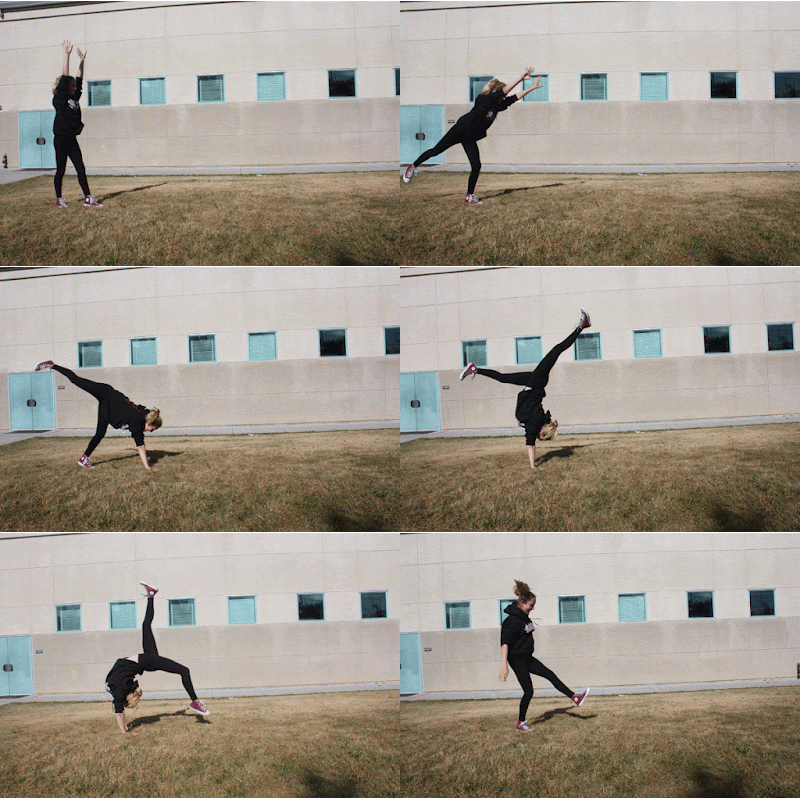
This is my animated gif. I took multiple photos of Sydney doing a front walkover. Then put the pictures in Adobe Photoshop CS5 to put the pictures into a gif.

Panoramic Image

Image
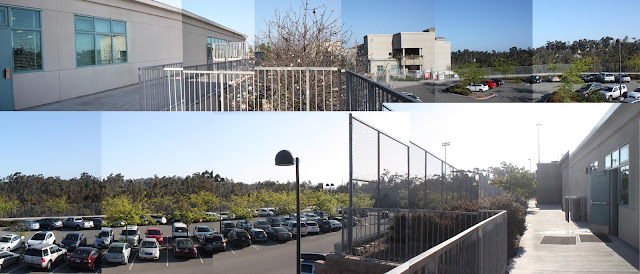
To create this I went outside and took 14 photos around me. I then put them in photoshop and created a blank file. I put all the photos so they connected and thats how I created this.

Retouching Assignment

Image
For this project I fixed two red eyes. I just found these photos online then used the red eye tool to fix them.

Magazine Cover Assignment

Image
To create this I took a picture I took a magazine over and added my face. I blended with a low opacity eraser to make it more realistic.

Movie Poster Assignment

Image
I did they Riverdale cast. I added Ariella on Veronica, Kenzie on Cheryl, Sydney on Kevin, and myself on Betty. I added our faces. changed the lighting, and put them on the characters. I had to blend a while but I am happy with how it came out.

Photo Collage with Text Features

Image
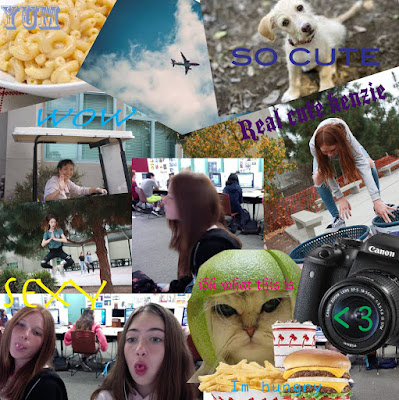
To make this I first made a collage with random stuff I found on the internet and on my computer. Then I added different comments with cool colors and fonts.

Classical "Painted" Portrait

Image
I created a portrait of Kenzie and used the filters to make a oily painting.

Creative Blurring

Image
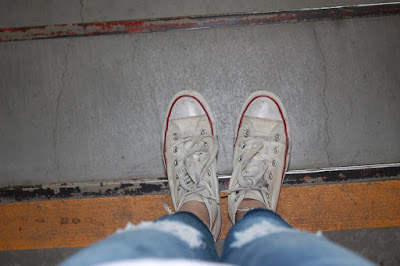
This is my creative blurring piece, I took this picture a while ago but never used it. I selected the feet since I wanted to keep those as my foreground.

Portrait Montage Using Different Backgrounds

Image
First I made a collage of my favorite T.V. shows, then I flattened the image, and saved it. With my new collage I edited it so it has a rippled effect. Then I took a photo with Photo Booth and deleted the background.

Self-Portrait Montage With Different Filters

Image
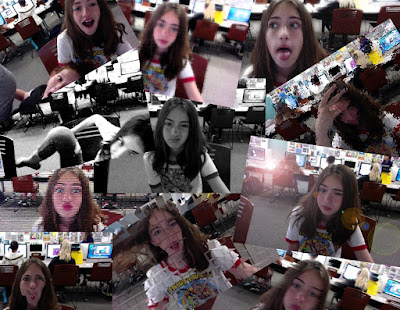
I first took a bunch of photos with Photo Booth, then I unlocked them in Photoshop, added filters, and added them to a white screen.